Full product demo
See everything you get for just $19.99 a month
A guided tour of PoolBeacon, the pool service software, one section at a time: customers and pools, scheduling, the route and the map, the field tech’s phone app, water chemistry, estimates and invoices, leads and requests, mileage, timesheets, reports, and the time clock. Every screen is the real working app on an test account already loaded with sample customers, pools, and a built route, so you see each feature explained with realistic records on screen instead of an empty form.
Every feature included · month-to-month · no per-pool fees
What you are watching
Every section of the app, in the order the nav runs
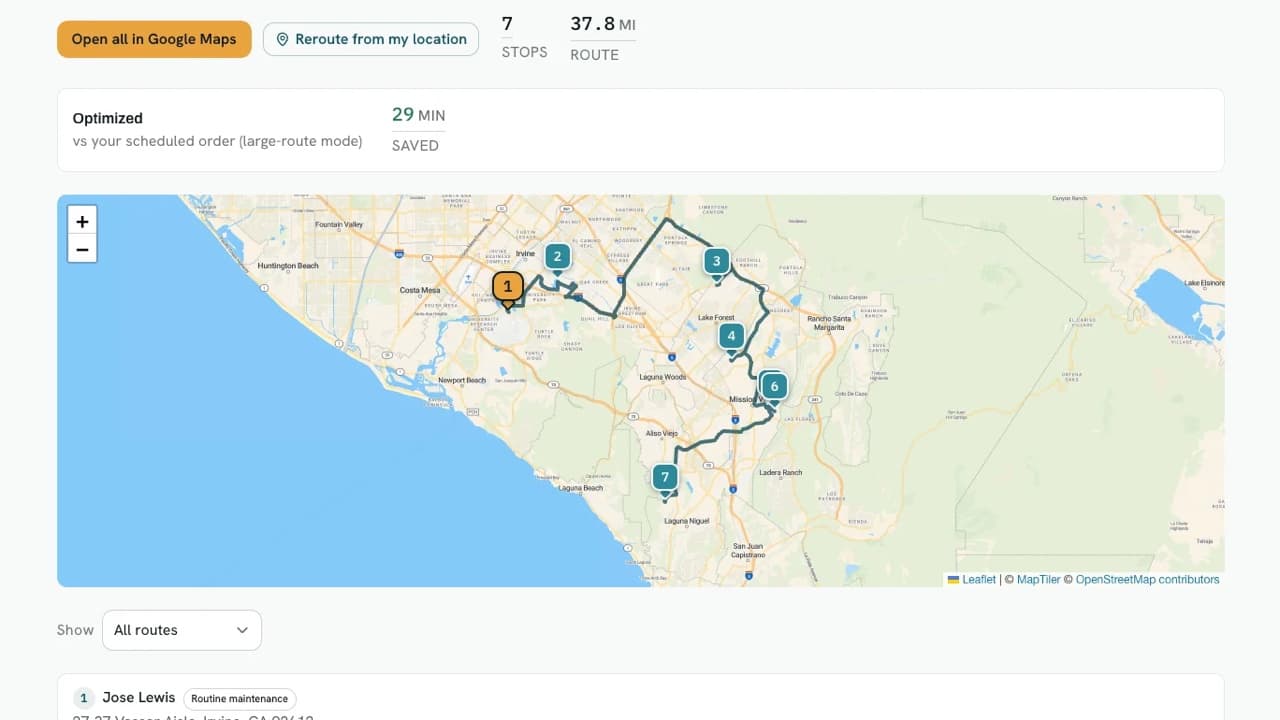
It works down the top nav in order. Customers and pools, then scheduling, then moving work between techs in bulk, then the route and the map it draws. It crosses over to the field tech’s phone app, opens the water chemistry logging screen, and covers the availability calendar.
Then the money and the paperwork: the estimate builder, invoices, lead capture, customer and tech requests, and customer broadcasts. It closes on the back-office side with mileage tracking, timesheets, reports, the service log, and the time clock.
Each section gets opened and explained rather than built from scratch. The point is to show you what is actually in the software and how each part behaves, not to teach setup. Configuring your own account, service types, and settings has its own 23 minutes setup walkthrough, chaptered by Settings section. And the 41-item list further down is the whole product, where this tour is the part of it you touch on a route.
Why it costs what it costs
Cheap pool service software usually means a stripped-down one
The normal way to sell software cheaply is to fence the useful parts off. Routing is on the middle tier, invoicing is an add-on, and the price you were quoted turns out to be the price of the version that cannot do the job.
PoolBeacon is priced by seats instead. $19.99 a month is one operator with the entire app, all 41 features in the list below, not a starter tier. Growing to a crew changes how many people can log in. It does not unlock anything, because nothing was locked.
There is no per-pool meter that quietly charges you more as your route grows, no annual contract, and no cut taken out of what your customers pay you. That is the whole pricing model, and the demo is there so you can check it against the product before you trust it.
Everything included, on every plan
The full list, from $19.99/mo up. Nothing here is a tier upgrade.
- Unlimited customers, pools, and visits
- Per-customer tags, multi-phone + multi-email contacts
- Per-pool schedule config + automatic visit generation
- Custom service types with saved checklists, rates, durations, and expected chemicals
- Today-route view with map + Google Maps handoff
- Drive-time route optimization (real road durations)
- Per-tech route assignment
- Bulk scheduling: lasso-assign pools to techs, change service days, and reschedule visits in batches
- All-pools planning map with by-tech and by-day coverage views
- 8-input water chemistry logging, kept on the pool record and on the customer report
- Multi-photo visit logging (auto-compressed)
- Filter-cleaning schedules with backwash-pressure tracking
- Equipment tracking with warranty alerts
- Auto-sent customer visit reports
- White-labeled customer emails and portal with your logo and brand color
- Automatic "on my way" customer emails when a tech heads to the stop
- Day-before customer visit reminders
- Customer self-serve portal + service requests
- Field issue reports from techs routed straight to the office inbox
- Flexible per-pool billing: per-visit, flat monthly plan, or manual
- Stripe-powered invoicing, autopay, and card or ACH payments
- Overdue-invoice nudge emails
- Automatic late fees on overdue invoices
- Chemical billing at cost or with markup
- Estimates and quotes, accepted online and converted to a visit or invoice
- Built-in e-signature for service agreements and waivers, signed in person, by email, or in the portal
- Lead capture with a shareable intake form and one-tap conversion to a customer
- Automated review-request emails
- Bulk customer broadcasts (storm warnings, announcements)
- Weather rain-risk alerts for the day’s visits
- Offline-first field app that keeps working with no signal, then syncs
- Team time clock with weekly timesheets and payroll CSV export
- Mileage tracking with IRS-rate, tax-ready exports
- AI-assisted receipt scanning + tax-ready exports
- Tech availability calendar with coverage-gap alerts
- Private calendar link that puts your visits in Google Calendar, Apple Calendar, or Outlook
- Seasonal pause: put your subscription on hold for up to six months and pick up where you left off
- Role-based tech permissions with customer-contact masking
- Per-pool profit and margin reporting
- CSV import and guided switch from other pool software (mapping, preview, billing cutover, undo)
- One-click and weekly full-account data backups
Want the detail behind a line? Read the feature deep dives.
What people ask after watching
- Is this the real app or a mockup?
- It is a screen recording of the working product, moving through the same screens you get when you sign up. Nothing in it is a mockup, a prototype, or a slide deck. It is a tour rather than a tutorial: the demo account is a test account already loaded with sample customers, pools, and a built route, so each feature is opened and explained with realistic records on screen rather than created from scratch on camera. The customers in it are invented, not a real client list from a real business. It is also edited for pace, so in places the recording holds on a frame while another real screen is brought in.
- How long is the demo?
- About 20 minutes covering every section of the app. It is long on purpose: a two-minute highlight reel is easy to make look good, and it will not tell you whether the software actually handles your route.
- Does it show how to set everything up?
- No. This one is a tour of what the software does and how each screen behaves, on a test account that is already populated. Setup has its own walkthrough: a 23 minutes run through every Settings section, chaptered so you can jump to the one you need. Once you sign up, each Settings page links straight to its own moment in it.
- How much does PoolBeacon cost?
- Plans are monthly and priced by team size, starting at $19.99/mo for a solo operator. Every feature is on every plan, so the tier only changes how many seats you get. There are no per-pool fees, no activation fee, and no annual contract.
- Is everything in the video included at that price, or are parts of it an upgrade?
- Everything in the video is included. Every plan is the whole app, which is the point of pricing by seats instead of by feature. The one exception is the optional AI phone receptionist, and it sits outside the plan because there is a real per-minute cost behind answering a call. It runs $19.99 a month including 120 answered talk-minutes, then $0.20 a minute, and it stays off until you switch it on. Folding a metered cost like that into the base price would mean charging every operator for calls they never took.
- Do I need a card for the free trial?
- Yes, a card goes on file at signup, and you are not charged for 3 months. We email you before the trial converts, and you can cancel before then and pay nothing.
- Do you take a percentage of what my customers pay me?
- No. Customer payments run through your own connected Stripe account with a $0 platform fee from us, so you keep the full payment minus only your card processor's standard rate. Our only revenue from you is the monthly subscription.
- Can I move my customers over from the software I use now?
- Yes. There is a CSV import with column mapping, a preview before anything saves, and an undo if the result looks wrong. The demo shows the customer and pool records it lands in.
- Does it work in a backyard with no signal?
- Yes, in the technician's phone app, which is exactly where it matters. That is the app your tech has open standing at the pool, and it is the one built to run offline: chemistry readings, photos, the checklist, a completed stop, and clocking in or out all save on the phone with no bars and sync themselves when signal returns. So a rural backyard, or a dead spot on the drive back to the day's list, does not cost anyone the visit. The office dashboard is desk work and does expect a connection. This is also the one claim a video cannot really prove, so during the trial put your phone in airplane mode at a real stop and watch it hold.
The fastest way to know is your own route
Load your real pools, run one real day, and see whether it holds up. Three months free, every feature from the first login, and $19.99 a month after that if you stay.